 SeaMemo
Your sailing trip as a photo book
SeaMemo turns your trip into a printed photo book. In the app you pick the trip and the number of copies; we design the book from the photos you and your crew collected along the way and send you a personal quote by email. The request is free and without obligation.
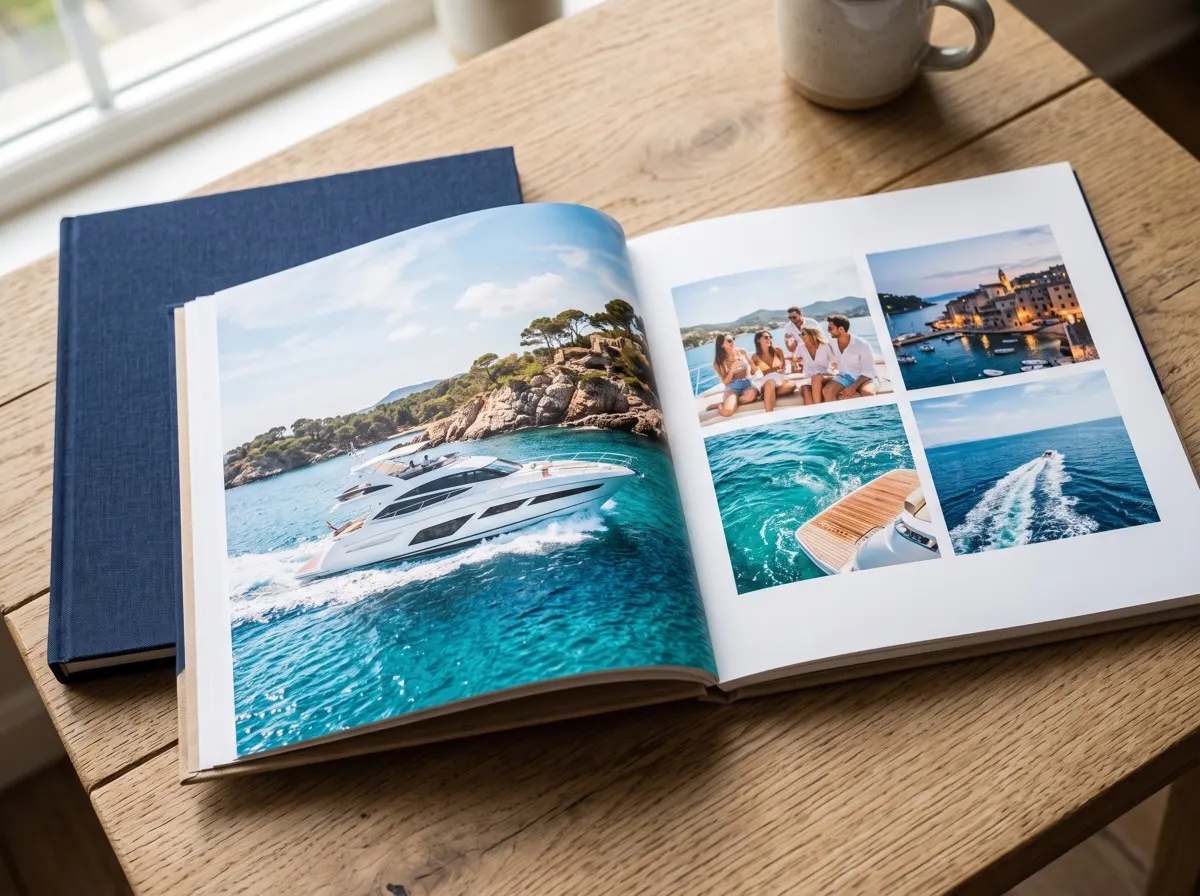
How to order your photo book
The request takes less than a minute, because SeaMemo already did the work during the trip: photos, legs and data are sorted inside the trip.
- Open the Cabin and tap Photo book.
- Pick the trip. The app shows how many photos it holds.
- Set the number of copies. A volume discount applies to several books.
- Add any wishes and send your request, free and without obligation.
- You get a personal quote by email. If everything suits you, we design the book and send it to print.


What goes into your photo book
A sailing holiday photo book rarely fails at the printing stage. It fails at the collecting: the pictures are spread across four phones, nobody remembers which bay was on which day, and after two weeks back at work the motivation is gone. SeaMemo changes that:
- The whole crew's photos in one place. Every crew member can add pictures to the trip and to individual legs. Everything lands in the same trip.
- Already sorted by leg. Since every photo belongs to a leg, the order of the book almost writes itself: harbour, passage, anchorage, next harbour.
- The story behind the pictures. Route, nautical miles and journal entries are saved in the trip. If you like, ask in your wishes for a map page, leg data or quotes from the journal.
One book for every crew member
A trip is a shared experience, and in the end everybody usually wants a copy. That is why you can set the number of copies right in the request. The more copies, the cheaper each book. It also makes a good present: for the skipper who planned the trip, for parents who sailed along for the first time, or as a keepsake of the training week that got you your sea miles.
Tip for your next trip: Invite your crew to the trip on day one. Then the photos end up in one place from the start, and nobody has to send them around on messenger after the holiday. See Crew for how it works.
Good photos make a good photo book
The book can only be as beautiful as its material. A few habits on board make all the difference:
- A few pictures per leg instead of a hundred of the first sunset. Harbour, sails, crew, dinner: variety carries a book.
- People in action: someone on the winch, at the helm or coming alongside tells more than an empty deck.
- Don't forget the details: knots, the galley, the harbour sign, the chart on the chart table.
- Mix portrait and landscape. Landscape works for spreads, portrait for crew shots.
More ideas on structure, cover and text are in the guide How to make a photo book of your sailing trip.
Who the photo book is for
To be honest: if you love laying out every page yourself, choosing fonts and placing pictures to the millimetre, a classic photo book service with its own editor will suit you better. You can use your SeaMemo photos for that at any time.
The SeaMemo photo book is for everyone who wants a beautiful book in their hands after the trip without spending evenings sorting and laying out. The photos are already there, and so is the order. You tell us what matters to you and get a finished book.
Get SeaMemo for free
Logbook, travel journal and crew in one app. For iPhone and Android, works offline at sea.


Frequently asked questions
How much does a photo book of my trip cost?
The price depends on the size of the book and the number of photos. After your request you get a personal quote by email. If you order several copies, for example one for each crew member, there is a volume discount.
Is the request binding?
No. The request in the app is free and without obligation. The book is only designed and printed once you accept the quote.
Which photos go into the book?
The photos saved in the trip: yours and those of your crew members. In the wishes field you can tell us what matters to you, such as a particular cover photo, a page with the route or lines from the journal.
Does everyone in the crew need the app?
No. One account is enough to send the request. But photos only end up in the trip if someone adds them in SeaMemo, so the more of your crew join in, the more complete the book.
Where do I find the photo book in the app?
In the Cabin under Photo book. There you pick the trip, see how many photos it holds, set the number of copies and send the request.